
How to control AI API costs across your team
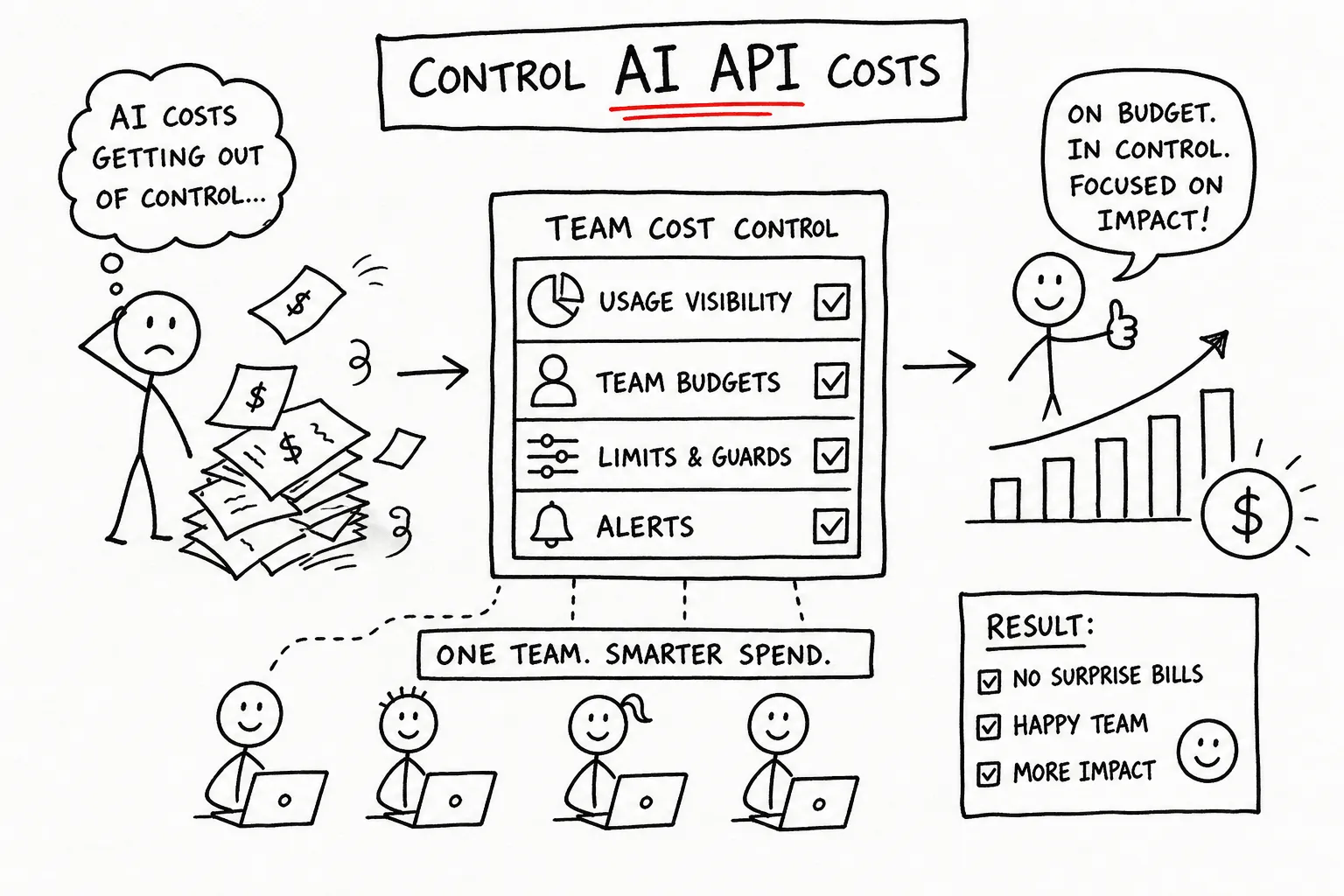
If you have ever watched a billing alert fire at the end of a sprint while nobody could say which model, which feature or which developer burned the budget, you already know this is a systems problem. It is not a spending problem. It is a visibility and controls problem.
The teams that keep AI spend predictable share one trait: they treat model usage as infrastructure. The same discipline that governs database connections, compute instances and third-party quotas has to govern model calls. Without it, spend escapes the moment a team scales, ships an agent, or runs an eval loop over a large dataset.
Here is the control system, in the order you should build it: audit, per-member caps, routing, monitoring, policy.
Why team AI spend runs away
Runaway costs rarely trace back to one expensive model or one bad week. They are the product of several compounding workflow problems that go undetected until the invoice arrives.
Context bloat is the most common cause. Teams resend full chat histories, long system prompts and boilerplate instructions on every call, inflating token counts with nobody noticing.
Agent loops and retry storms come a close second. A bug or weak error handling can trigger dozens of repeated calls in seconds, multiplying spend faster than any fixed-budget alert can catch.
Model mismatch is quieter and just as expensive. When a routing classification or a simple summarization job goes to a premium frontier model by default, you pay frontier prices for work a smaller model handles fine.
Multi-provider sprawl hides the real number. When spend fragments across separate OpenAI, Anthropic and experimental accounts, no single bill shows the total until it is too late. Shadow usage from internal tools and personal keys adds more. The fix is not fewer providers. It is one layer that aggregates every call into a single view.
Step 1: audit before you touch a single setting
Adding caps and routing rules on top of an unaudited spend profile is guesswork. Four metrics tell you most of what you need:
- Daily spend against baseline and monthly budget, trend and forecast together.
- Breakdown by model, provider, feature and environment, to find which workloads actually drive cost.
- Tokens per request, split into input and output. This surfaces context bloat and over-long generations faster than anything else.
- Top anomalous users, endpoints or features by spend delta. One sharp spike tells you more than a month of aggregates.
None of this works without metadata. Every call needs attribution fields attached. Without tagging you see a total and never a cause. The practical minimum is four fields per request: user, team, environment and feature. Everything else in your observability stack builds on those four, and teams that skip this during early development regret it the first time an incident needs attribution that was never recorded.
Step 2: per-member caps on a shared balance
The most direct way to stop one experiment draining a shared budget is a hard limit on what each person can spend in a period. A single engineer running a poorly scoped eval loop can exhaust a shared balance in hours.
The cap is not punitive. It is a blast radius. When a member hits their limit, only their traffic stops and everyone else keeps working. That isolation is what makes a shared balance workable at team scale without constant friction.
On ApexApi this is built in. A team runs on one shared credit balance, and an owner or admin sets a cap amount and a period, weekly or monthly, per member. The gateway enforces it inline, with no middleware and no application-layer code. Per-user request logs record model, token count, timestamp and cost per call, so the question of who spent what is a lookup rather than a reconstruction. See teams for how the shared balance works and the quickstart to get set up.
Environment separation matters just as much. Dev and staging traffic must never be able to starve a production feature. Issue a separate API key per environment, each with its own daily and monthly spend limit, and restrict keys to the models that environment is allowed to call. Staging typically gets a fraction of production's ceiling and dev less still, but pick the numbers from your actual test load rather than a rule of thumb. The point is structural: a misfired load test spends against its own limit and cannot reach production headroom.
Step 3: route each task to the model that fits it
Many teams default to a single model for convenience, long after cheaper models would handle most of the traffic. Behind an OpenAI-compatible gateway, switching is a base URL and a model string, so routing rules can automate it without touching application code.
This is usually the largest single lever, because the price gap between frontier and small models is wide and a large share of production traffic is classification, extraction and summarization that does not need a frontier model. How much you save depends entirely on your task mix, so measure it on your own traffic instead of trusting a headline percentage from someone else's workload.
Two things make that measurement possible. The model catalog lists what each model costs per token in real dollars, and our rankings page publishes measured success rate and latency per model from real traffic through the gateway, so you can check that the cheaper model you are about to route to is actually reliable for your task type before you move production traffic onto it.
Step 4: monitor in real time, and alert before the damage
Alerts that fire at 100 percent of budget are useless. By the time they trigger, the money is spent. Use tiered thresholds instead, at 50, 80 and 90 percent, across per-user, per-team, per-environment and monthly limits.
Each threshold needs a paired response. A 90 percent alert with no defined action is noise. Decide in advance: cap the individual user, move non-critical traffic to a cheaper model, or pause background jobs.
Anomaly alerts on cost per request are the ones that catch real incidents. A sudden jump in cost per request catches an agent loop or a retry storm long before any fixed-budget alert would fire, because the total can still look normal while the per-call cost has quintupled.
Aggregate dashboards tell you spend is up. Per-user logs tell you who and why. The goal is to make spend visible as a debugging tool, not as a surveillance mechanism. When developers know the data exists to help them build better rather than to evaluate them, they use it instead of resenting it.
Step 5: a policy short enough that people follow it
Tooling without policy drifts. Policy without tooling is not followed. You need both, and the policy can be short.
A working AI usage policy for a small engineering team covers three things:
- A default model per use case. Which model is the standard choice for chat, classification, generation and code.
- An escalation path. How someone requests a premium model for a specific feature, and who approves it.
- Tagging requirements. Every new integration ships with user, feature and environment fields from day one, before it reaches staging.
Governance works best when the defaults are safe and enforcement is automatic. If the gateway enforces caps and the dashboards flag anomalies without anyone intervening, developers do not need permission to experiment. They need to know their cap, the tagging standard, and who to ask when it needs raising. That fits on one page. Write it once, link it in onboarding, and let the infrastructure enforce it.
A note on prompt caching
Caching a stable prompt prefix, a system prompt, a RAG preamble or a tool schema, reduces what you pay for input tokens, and the mechanics differ by provider. OpenAI applies prefix caching automatically once the leading portion of a prompt repeats across requests. Anthropic requires you to mark cache breakpoints explicitly with cache_control, and prices cache reads at a fraction of normal input.
Worth knowing before you build around it: whether that discount reaches you depends on your provider and on how your gateway reports usage. Ask the question directly rather than assuming, and verify it against a real invoice on your own traffic.
Build the system, then let it run
Controlling AI spend across a team is a systems problem, not a willpower problem. The decision is whether you bolt controls onto individual provider accounts or build one infrastructure layer that does it: per-member caps, a shared balance, tagged requests, tiered routing and real-time alerts. That stack replaces end-of-month bill shock with a spend profile you can predict and audit as the team grows.
ApexApi is built to be that layer. One shared balance, per-member spend caps, per-key limits and model allowlists, routing across a broad catalog from many providers, and per-user request logs, on a gateway that works with your existing OpenAI SDK. Real US dollars on every call, no invented credit currency, no separate account per provider.
Start with the audit, add the caps, tag your requests, and let the gateway enforce the rest. Read the quickstart or browse the model catalog.
Frequently asked questions
- How do I control AI API costs across my team?
- Five layers, in order. Audit what you spend today and on what. Set per-member spend caps so one person cannot drain the shared balance. Route each task to the cheapest model that handles it. Alert at 50, 80 and 90 percent of budget, each with a defined action. Write a short policy covering default model, escalation path and tagging.
- What causes AI API spend to run away in the first place?
- Usually four things compounding: resending full context on every call, agent loops and retry storms firing dozens of calls in seconds, sending simple tasks to premium models by default, and spend fragmented across separate provider accounts so nobody sees the real total until the invoice.
- How do I set spending limits per team member?
- On ApexApi, an org owner or admin sets a cap amount and a period, weekly or monthly, per member. The gateway enforces it inline. When a member hits their cap only their traffic stops; everyone else keeps working. There is no application-layer code to write.
- How do I stop a staging load test from eating production budget?
- Separate API keys per environment, each with its own daily and monthly spend limit. A key can also be restricted to a specific list of models. A misfired test in staging then cannot touch production headroom, because it is spending against a different limit.
- Which metadata should every AI API call carry?
- At minimum user, team, environment and feature. Without those four you can see a total but never a cause, and a post-incident attribution question becomes archaeology instead of a lookup.
- Does routing cheaper models actually save meaningful money?
- It is usually the largest single lever, because the price gap between frontier and small models is wide and a lot of production traffic is classification, extraction and summarization that does not need a frontier model. The size of the saving depends entirely on your task mix, so measure it on your own traffic rather than trusting a headline percentage.
Recommended
More posts
- How an AI agent funds and pays for its own API calls
Registration, balance and top-up as three HTTP calls instead of three web forms. The flow, the caps that keep it safe, and when a human is still required.
- Scrape, crawl and extract on the same key as your models
Three web context endpoints on the balance that already pays for inference. What each one costs, when to reach for which, and what you stop maintaining.
- Structured output across providers, and where it fails
JSON mode is three different guarantees wearing one name. What ports between providers, what gets silently ignored, and why you validate anyway.
One API key for every AI model
Start free