
Image generation APIs compared by real cost per image
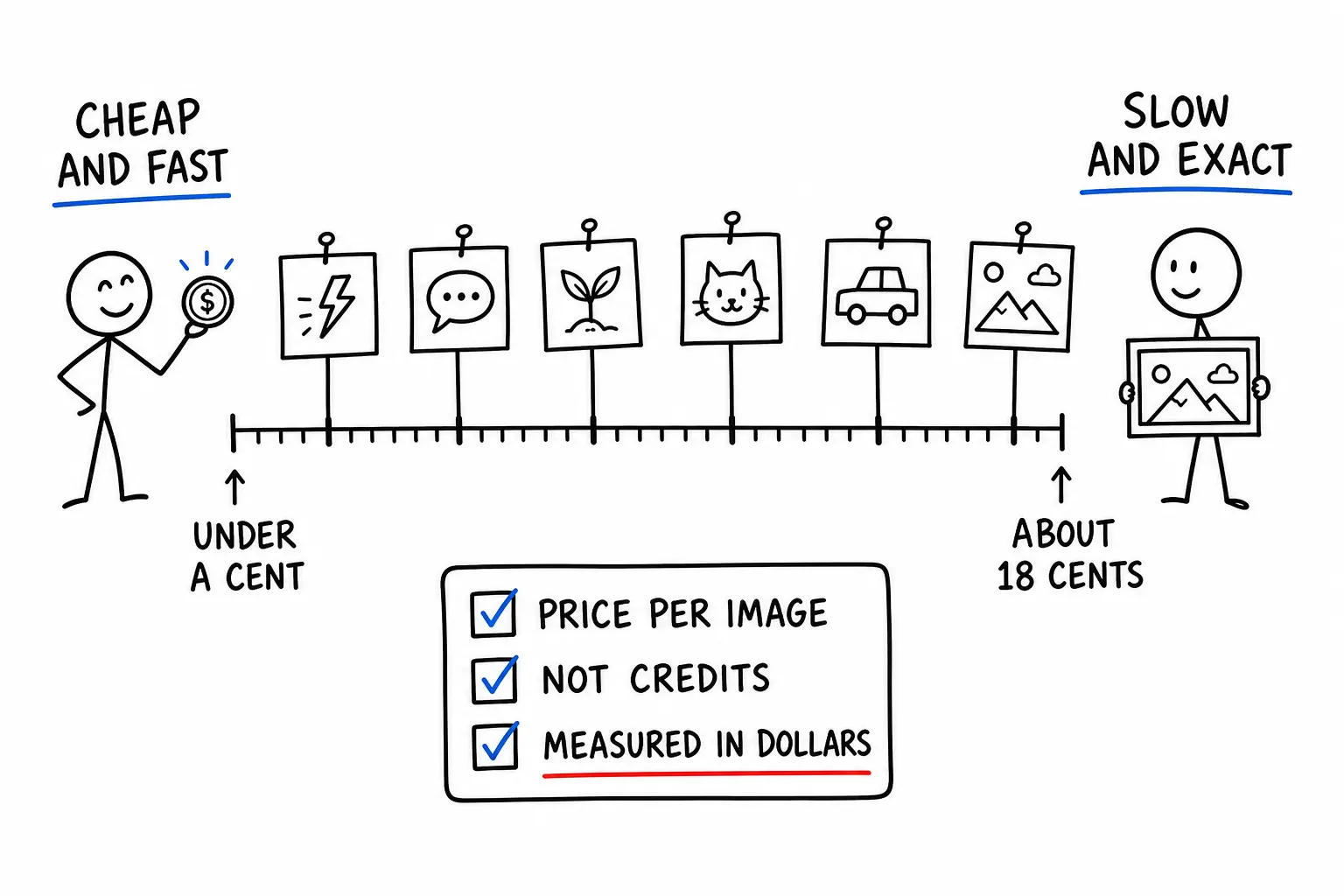
An AI generated image costs somewhere between a third of a cent and about eighteen cents through an API in August 2026. That is a spread of roughly fifty times for the same nominal task, and most comparison articles will not tell you the number because most providers do not publish a directly comparable one.
We are in an unusual position to publish it. We serve image models from Black Forest Labs, Google, OpenAI, ByteDance, Ideogram, Recraft, Stability and xAI on one balance, and we bill every one of them in US dollars per call. So the table below is not collected from six pricing pages with six different units. It is what these models cost to run, in the same currency, on the same day.
The actual numbers
Prices are per image, in USD, as of 6 August 2026. Where a model charges more for higher resolution the figure is the entry price for that model, which is what "from" means.
| Model | Maker | Price per image |
|---|---|---|
| Flux Schnell | Black Forest Labs | $0.0036 |
| Fast SDXL | Stability AI | $0.0036 |
| Flux 2 | Black Forest Labs | from $0.0144 |
| Grok Imagine | xAI | $0.024 |
| Flux Dev | Black Forest Labs | $0.03 |
| Imagen 4 Fast | $0.03 | |
| Flux 2 Pro | Black Forest Labs | from $0.036 |
| Gemini Flash Image | $0.0468 | |
| Recraft v3 | Recraft | $0.048 |
| Flux Pro | Black Forest Labs | $0.06 |
| GPT Image 2 | OpenAI | from $0.0636 |
| Ideogram v3 | Ideogram | $0.072 |
| Imagen 4 Ultra | $0.09 | |
| Nano Banana 2 | from $0.096 | |
| Gemini 3.1 Flash Image | from $0.096 | |
| Seedream 5.0 | ByteDance | from $0.162 |
| Nano Banana Pro | from $0.18 | |
| Gemini 3 Pro Image | from $0.18 |
Two structural things stand out before any judgment about quality.
The distribution is not smooth. There is a dense cluster between $0.024 and $0.072 where most production work happens, a thin floor around $0.0036, and a premium shelf starting near $0.09. Very little sits between $0.072 and $0.09. If you are optimizing spend, the meaningful decision is which of those three bands you belong in, not which model inside a band is a cent cheaper.
The floor and the ceiling are fifty times apart, which is a wider spread than text models show for comparable tiers. That matters because image workloads tend to be bulk workloads. A fifty times difference on one image is a rounding error. On ten thousand images a month it is the difference between $36 and $1,800.
What the extra money buys
Price tracks compute cost and licensing more than it tracks fitness for your task. Three areas are where the premium tier genuinely separates.
Text inside the image. This is the clearest and most testable difference. Cheap diffusion models turn lettering into decorative shapes that look correct at a glance and fall apart when you read them. If your output contains a headline, a label, a sign or a price, the premium tier is not a luxury, it is the requirement. We learned this building a workflow that renders handwritten tips onto paper, where GPT Image 2 was the model that produced legible handwriting and several cheaper models did not.
Prompt adherence over long instructions. A short prompt is handled well almost everywhere. A prompt with eight constraints, a specified composition and a named style is where the cheap tier starts dropping clauses silently. You get a good image that is not the image you asked for, which is a worse failure mode than a bad image because it passes automated checks.
Fine detail at full resolution. Hands, small faces in a crowd, repeating patterns, reflections. If the image will be viewed at full size, this is visible. If it will be scaled into a 400 pixel card, it usually is not.
Everything else is closer than the price gap suggests. For a blurred background, an abstract texture, a flat color field or a first-pass thumbnail, output from the $0.0036 tier is frequently indistinguishable from the $0.18 tier once the image reaches its final size.
The number that actually matters is cost per accepted image
List price per call is the wrong unit for budgeting, and it is the mistake that makes cheap models look better than they are.
The real unit is cost per image you keep. If a model at $0.0036 needs four attempts before one is usable, its effective price is $0.0144, which puts it level with Flux 2 and above Grok Imagine. If a model at $0.096 lands on the first attempt for a task where the cheap model needs six, the expensive model is cheaper.
This inverts the intuition often enough to be worth measuring rather than assuming. The measurement is simple: run your real prompts, count generations, count keepers, divide total spend by keepers. Do it once per task type, because the ratio is task-dependent and does not transfer. A product shot and an abstract background have completely different acceptance rates on the same model.
Two costs that get left out of that calculation and should not be:
Edit operations. Several models expose a separate edit route, and on our catalog the edit variants are priced the same as generation for Flux 2, Nano Banana and Gemini image models. So an accept-after-one-edit path costs two units, not one point something. If your pipeline is generate then refine, double the unit price in your model.
Human review time. If somebody looks at every image before it ships, and the cheap model produces three rejects for every keeper, you are paying for that attention somewhere. It rarely appears in an API budget and it is frequently larger than the API bill.
Resolution tiers, and why "from" is doing real work
Notice how many rows above say "from". That word is not hedging, it reflects how these models are actually billed.
Several models charge by output size. A 1024 by 1024 image and a 2048 by 2048 image are different prices from the same model, sometimes by a factor of two or more. The entry price you see quoted anywhere, including in our table, is the smallest supported output.
This produces a specific and common budgeting error. You benchmark at low resolution, pick a model on price, ship at high resolution, and the bill is multiples of the forecast. If you take one operational habit from this article, make it this one: benchmark at the resolution you intend to ship at, not at the default.
The models with a flat price in the table, Flux Schnell, Flux Dev, Flux Pro, Fast SDXL, Recraft v3, Ideogram v3, Grok Imagine and the Imagen family, are the ones where this trap does not apply. That predictability has real operational value on a bulk workload, separate from the headline number.
How to pick, in three questions
Does the image contain readable text? If yes, you are choosing between the premium models and you should test each candidate on your actual copy before committing. This single question eliminates most of the catalog and is the fastest filter available.
Will anyone view it at full resolution? If no, start at the bottom of the table and move up only when output fails review. Most teams over-buy here by a wide margin, because they evaluate models by looking at full-size samples and then ship thumbnails.
Is this bulk or is this hero? Bulk work belongs in the cheap tier with a review gate. Hero images, the ones a customer will look at directly, justify the premium tier because the cost of one bad hero image exceeds a month of API spend.
A pattern that works well in practice is a two-model pipeline. Generate candidates cheaply, filter them, and regenerate only the survivors on a premium model. On a workload with a low acceptance rate, that combination costs less than running the premium model on everything and produces better output than running the cheap model on everything.
Why the same model can have two prices
One thing worth understanding if you compare our catalog against a vendor's own page and find a difference.
A model is often reachable through more than one delivery path. Nano Banana can arrive through Google directly or through an intermediary. Those paths have different underlying costs, different rate limits and different reliability. When we serve a model over more than one path, the price we publish is the price of the most expensive path, so the number you see is the number you can rely on regardless of which rail serves the request. You are never surprised upward.
That is also why the model slug you use is always maker/model, naming who created the model rather than who delivers it. black-forest-labs/flux-2 is Flux 2 whichever way it reaches you. The routing is our problem, not something your code should encode.
Verify the price before you commit
Every price in this article will drift. Models get cheaper, new versions launch at a premium, and providers reprice without notice. Rather than trusting a table in a blog post, including this one, read the catalog:
curl -s https://api.apexapi.dev/v1/models \
  -H "Authorization: Bearer $APEXAPI_KEY" \
  | jq '.data[] | select(.type == "image") | {id, pricing: .pricing.display}'
That returns the live price for every image model we serve, in dollars, in the same shape as the table above. The catalog is the source of truth and this article is a snapshot of it.
Per-call cost also comes back on the response itself. Every generation returns its exact cost in USD in the X-ApexApi-Cost header, to eight decimal places, which means your cost-per-accepted-image measurement can be automated rather than estimated. The full model list is on the model catalog and the pricing page explains how billing works, in real dollars with no credit currency in between.
To generate your first image through the gateway, the quickstart covers the request shape, and the image generation page has the models grouped by what they are good at.
The short version
Pick your band before you pick your model. Under a cent for bulk work nobody inspects, three to seven cents for most production images, sixteen cents and up when the image carries text or gets looked at closely.
Then stop comparing list prices and start measuring cost per accepted image on your own prompts. That number is the only one that predicts your bill, and it is frequently not the one the pricing page implies.
Frequently asked questions
- How much does an AI generated image cost through an API?
- The working range in August 2026 is roughly a third of a cent to about eighteen cents per image, a spread of about fifty times. Fast open-weight models such as Flux Schnell and Fast SDXL sit at the bottom near $0.0036. Mid-range models including Flux Dev, Imagen 4 Fast, Recraft v3 and Grok Imagine sit between $0.024 and $0.048. Premium models such as Nano Banana Pro, Gemini 3 Pro Image and Seedream 5.0 sit between $0.16 and $0.18.
- Which image generation API is cheapest?
- At the time of writing, Flux Schnell and Fast SDXL are joint cheapest at $0.0036 per image. Both are speed-first models, so the saving is real but so is the quality gap against the premium tier. Cheapest is only the right answer when the image is a thumbnail, a placeholder, or one of many candidates you plan to filter.
- Why do image APIs price per image instead of per token?
- Because the cost driver is a diffusion or generation pass over a fixed output size rather than a variable-length token stream. That makes image pricing easier to forecast than text pricing. You multiply a known unit price by the number of images. The complications are resolution tiers and edit operations, which some models bill at a different rate than a fresh generation.
- Is a more expensive image model always better?
- No. Price tracks compute and licensing more than it tracks fitness for your task. The expensive tier tends to win on text rendered inside the image, on prompt adherence for long instructions, and on fine detail. For a blurred background, an abstract texture or a first-pass thumbnail, the cheap tier produces work that is indistinguishable once the image is scaled down.
- How do I compare image API costs across providers fairly?
- Fix the task, not the model. Decide the output resolution, whether you need an edit pass, and how many candidates you generate per accepted image. A model at $0.0036 that needs four attempts costs more than a model at $0.012 that lands first time. Then measure the real cost of accepted images rather than the list price of a single call.
Recommended
More posts
- How an AI agent funds and pays for its own API calls
Registration, balance and top-up as three HTTP calls instead of three web forms. The flow, the caps that keep it safe, and when a human is still required.
- Scrape, crawl and extract on the same key as your models
Three web context endpoints on the balance that already pays for inference. What each one costs, when to reach for which, and what you stop maintaining.
- Structured output across providers, and where it fails
JSON mode is three different guarantees wearing one name. What ports between providers, what gets silently ignored, and why you validate anyway.
One API key for every AI model
Start free