
What is an MCP server, and how does it power LLM agents?
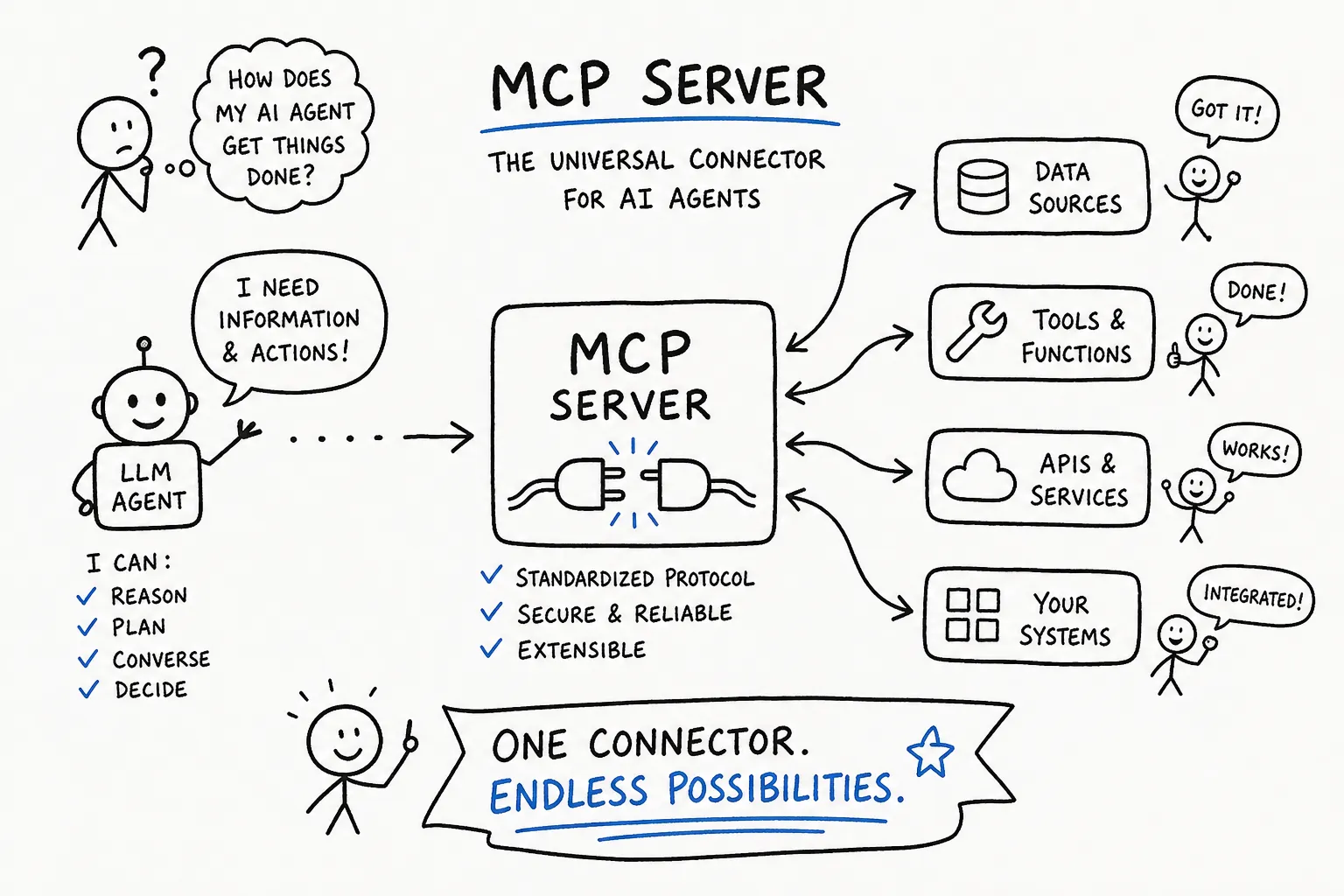
Building an LLM agent that does things in the real world means wiring it into databases, APIs, file systems and third-party services. Before MCP, every one of those was a one-off connector: one for Postgres, another for Slack, another for an internal CRM, each carrying its own auth scheme, its own error surface and its own maintenance burden. The result was bespoke code that broke every time a service changed an endpoint or rotated a credential.
The Model Context Protocol changes that equation. It gives agents a single standardized way to discover and invoke external capabilities without writing a new adapter for every tool. By the end of this article you will understand exactly how an MCP server slots into agent architecture, and how to get one running.
What is an MCP server for LLM agents?
Before MCP, a single agent workflow could need a dozen tools, and each tool meant its own integration code, its own error handling and its own upgrade path. As agent complexity grew this scaled badly, because the engineering overhead compounded faster than the capabilities did.
The Model Context Protocol is an open standard that defines how an LLM application discovers and calls external capabilities through a consistent interface. Think of it as the HTTP of the agent world: a protocol any client can speak and any server can implement. An MCP server is the program that wraps an external system, whether that is a database, an API or a file system, and exposes it to any MCP-compatible client using that standard interface. The agent does not need to know whether it is talking to Postgres, a REST endpoint or a vector store. It just knows how to speak MCP.
That single-protocol approach is what makes MCP useful in practice. Adding a new integration means deploying a new server, not rewriting the agent. Agent logic stays clean, and integration logic stays contained in the server where it belongs.
The three-layer architecture: host, client and server
MCP organizes agent-to-tool communication into three layers, and understanding each one makes the protocol far easier to reason about.
The MCP host is the AI application or agent runtime orchestrating the workflow: your coding assistant, your desktop client, your custom agent loop. The MCP client is the connection layer the host creates for each server it wants to use, one client per server connection. The MCP server is the capability provider that wraps an external system and advertises what it can do.
Here is how a tool call flows through that architecture. The host connects its client to the server, which advertises its available tools, resources and prompts, each with a description and an input schema. The host passes that capability list to the model, which selects the right tool for the task. The host triggers the invocation through the client, the server executes the real action against the underlying system, and the result flows back into the model's context for the next reasoning step.
Under the hood, MCP uses JSON-RPC 2.0 messages for all communication, and remote servers commonly stream responses over HTTP with Server-Sent Events. What makes the architecture work is that the model stays in the reasoning loop while the server handles execution. The agent and the external system never need to know each other's internals.
What MCP gives your agents: tools, resources and live data
MCP organizes agent capabilities into three primitives, each serving a distinct role in how an agent interacts with the world.
Tools are the callable functions the server exposes: run_query, create_ticket, fetch_document, send_message. Each comes with a description and a schema for its inputs, so the model can choose the right one without it being hardcoded in the system prompt. In a typical database workflow a user asks for top customers by revenue, the model calls describe_table to inspect the schema, then run_query to retrieve the data. The server executes the SQL and the result flows back into context. No custom adapter code on the agent side.
Beyond callable tools, servers expose resources: readable data the agent pulls into context on demand, such as files, knowledge base entries, past conversation summaries and database records. This is the memory layer, and it is more flexible than stuffing everything into a system prompt, because the agent accesses exactly what it needs when it needs it rather than carrying a bloated context through every turn. Third-party APIs fit this same model as naturally as databases do. Ticketing systems, payment providers and internal REST services are all discovered through the same protocol, regardless of what sits behind the server.
Why MCP is becoming the foundation for agentic systems
Early LLM applications were stateless and narrow: a single model handling a single task and returning a single response. Agentic systems are different. They run multi-step workflows, call external systems mid-task and maintain state across turns. MCP gives them a standardized interface for discovering and invoking capabilities at runtime, decoupling agent logic from specific vendor APIs the same way REST decoupled web clients from backend implementations.
That is why MCP servers are becoming the infrastructure layer for agentic AI in the way REST APIs became the infrastructure layer for web apps. Both are open protocols, both decouple clients from servers, and both create ecosystems where providers and consumers evolve independently.
One of the more ambitious patterns emerging in production is the fully autonomous agent that bootstraps itself. An agent can register its own credentials and fund itself with programmatic USDC payments, with no human in the loop after the initial setup. ApexApi supports both halves of that: self-registration and autonomous USDC funding, so an agent can create an account, connect and start paying for its own usage without a person opening a dashboard.
For teams comparing MCP to function calling in frameworks like LangChain or LlamaIndex, MCP does not replace function calling. It standardizes where tools live and how clients discover them. Function calling answers "what action should the model take?" MCP answers "how do clients reliably find, connect to and execute that action across systems?" They work together: the model produces a structured tool call while the MCP client and server handle discovery, invocation and result transport.
Deploying an MCP server: build or buy
The official MCP SDKs cover several languages, including Python, TypeScript and Java. The local workflow is straightforward: create the project, install the SDK, implement your tools and resources, then test with an MCP-aware client before packaging for production.
For distributable servers, the .mcpb bundle format packages your server binary, manifest and dependencies into a single artifact a client can install directly. The flow runs mcpb init to generate a manifest.json, vendors your dependencies into the bundle directory, then runs mcpb pack to produce the final file. The bundle has to be self-contained, because it carries everything needed to run locally without resolving packages at install time.
If you want to skip that work, ApexApi's hosted MCP server is a ready endpoint that connects your agents to 130+ AI models, plus live web context through scraping, crawling and structured extraction. Connecting from Claude Code is one command:
claude mcp add --transport http --scope user apexapi https://api.apexapi.dev/mcp
There is no key to paste. The endpoint speaks OAuth, so a browser opens, you approve once, and the tools appear. Before you connect an agent that spends money, check the model catalog and the pricing page so you know what it can reach and what each call costs.
Security and authentication before you deploy
Auth
Remote MCP connections should use OAuth 2.1 with PKCE rather than a static token pasted into a config file. The implementation needs a cryptographically random code_verifier per login attempt, a code_challenge derived using S256, and validation of the authorization server metadata before any flow starts. Require TLS 1.2 at minimum, and prefer 1.3.
Token lifetime is a real design choice rather than a settled rule. Short-lived access tokens with refresh rotation limit the damage from a leaked credential. Long-lived tokens trade that away for immediate, targeted revocation: ApexApi issues one that stays valid until you kill it from the dashboard, which means a specific agent can be cut off the moment you need to without disturbing anything else. Neither model is automatically right. What matters is knowing which one a server uses before you hand an agent a spending capability.
Access control at the tool level
Authentication tells you who is connecting. Authorization controls what they can do. Apply role-based access control per tool: an agent that queries a database should not hold permission to drop tables. Validate every tool input against a strict schema and reject malformed parameters before they reach the underlying system. Treat all tool inputs and outputs as untrusted, and prefer allow-lists over free-form commands or file paths to reduce prompt-injection risk.
For data privacy, mask sensitive fields in logs and encrypt data in transit and at rest. Apply data minimization so the agent receives only the context it needs, which reduces both exposure and unnecessary token overhead. Keep an audit trail of every invocation: which agent called which tool, with what inputs, and when. MCP servers bridge directly into internal systems, which makes them a high-value target, so continuous monitoring is not optional.
Where to go from here
An MCP server is the standardized capability layer that connects agents to real tools, databases, memory and APIs without a custom adapter for every integration. The host, client and server split keeps agent logic decoupled from integration detail, so adding a capability means deploying a server rather than touching the agent.
MCP is moving from interesting protocol to foundational infrastructure because it lets agents discover, compose and call capabilities at runtime. If you are building agentic systems now you need that layer, whether you build it with the official SDK or connect to a hosted one.
Start with the MCP server documentation for the full connection details, then follow the quickstart to get your first agent connected.
Frequently asked questions
- What is an MCP server for LLM agents?
- It is a program that wraps an external system, a database, an API or a file system, and exposes it to any MCP-compatible client through one standard interface. The agent does not need to know what is on the other side. It only needs to speak the protocol, which means adding a capability becomes a deployment rather than a rewrite of the agent.
- What is the difference between an MCP host, client and server?
- The host is the application or agent runtime orchestrating the workflow. The client is the connection layer the host creates, one per server it connects to. The server is the capability provider that wraps an external system and advertises what it can do. Keeping those three separate is what stops integration detail from leaking into agent logic.
- How is MCP different from function calling?
- They solve different halves of the same problem and work together. Function calling answers what action the model should take. MCP answers how a client finds, connects to and executes that action across systems. The model still emits a structured tool call; the MCP layer handles discovery, invocation and transport.
- What can an agent actually do with an MCP server?
- Three primitives. Tools are callable functions with a description and an input schema, so the model can pick one without hardcoding it in the system prompt. Resources are readable data the agent pulls into context on demand, which is a more flexible memory layer than stuffing everything into the prompt. Prompts are reusable templates the server offers.
- Do I need to build my own MCP server?
- Not if the capability you want already exists as a hosted one. Building makes sense when you are wrapping an internal system nobody else can reach. For access to models, web context or media generation, connecting to a hosted server skips the packaging, deployment and auth work entirely.
- How should a remote MCP server handle authentication?
- OAuth 2.1 with PKCE rather than a static token pasted into a config file. That means a cryptographically random verifier per login, an S256 challenge, and validation of the authorization server metadata before the flow starts. Beyond the handshake, apply access control at the tool level, because authentication tells you who is connecting and only authorization limits what they can do.
Recommended
More posts
- How an AI agent funds and pays for its own API calls
Registration, balance and top-up as three HTTP calls instead of three web forms. The flow, the caps that keep it safe, and when a human is still required.
- Scrape, crawl and extract on the same key as your models
Three web context endpoints on the balance that already pays for inference. What each one costs, when to reach for which, and what you stop maintaining.
- Structured output across providers, and where it fails
JSON mode is three different guarantees wearing one name. What ports between providers, what gets silently ignored, and why you validate anyway.
One API key for every AI model
Start free