
Add every model to Claude Code with the ApexApi MCP
The Model Context Protocol lets an agent or editor call external tools. The ApexApi MCP turns the whole platform into those tools: your agent can talk to any model, generate an image or a video, synthesize speech, or read a web page, without you writing a single integration. Wire it once and it is there in every session.
Here is how to connect it.
Connect it with OAuth (easiest)
If you use Claude Code, one command adds it:
claude mcp add --transport http --scope user apexapi https://api.apexapi.dev/mcp
--scope user registers the server for your whole machine, so you approve once and every project sees it. Leave it out and Claude Code falls back to local scope, which is per directory, so you would repeat this in each new project.
Then run /mcp in Claude Code, choose apexapi, and click Authenticate. A browser opens to the ApexApi consent screen; approve it, and the tools are live. The token you get back is a dashboard-revocable key, so you can cut access any time from apexapi.dev/keys.
On claude.ai: Settings, then Connectors, then Add custom connector, and enter the URL https://api.apexapi.dev/mcp, then Connect and approve.
Or run it locally over stdio
For clients that take a local command (or if you prefer stdio), run the apexapi-mcp package over npx. Get a key at apexapi.dev/keys, then add this to your MCP client config:
{
  "mcpServers": {
    "apexapi": {
      "command": "npx",
      "args": ["-y", "apexapi-mcp"],
      "env": { "APEXAPI_API_KEY": "ak-..." }
    }
  }
}
There is also a bearer-key remote option for clients that pass a header directly:
claude mcp add --transport http --scope user apexapi https://api.apexapi.dev/mcp --header "Authorization: Bearer ak-..."
What your agent can now do
Once connected, these tools show up in your client:
- chat and list_models: talk to any model in the catalog, or list what is available.
- generate_image, generate_video, generate_speech: create media from a prompt.
- scrape_page, crawl_site, extract_structured: give the agent live web context.
- get_balance: check your remaining credits.
All of it runs on the same key and the same prepaid balance as the API.
Worked example: generate an image from your editor
Ask your agent something like: "Generate a product image of a brushed-metal API key card on a dark studio surface." It calls generate_image with openai/gpt-image-2 and hands back a hosted URL. This image was generated exactly that way, from an agent, through the MCP:
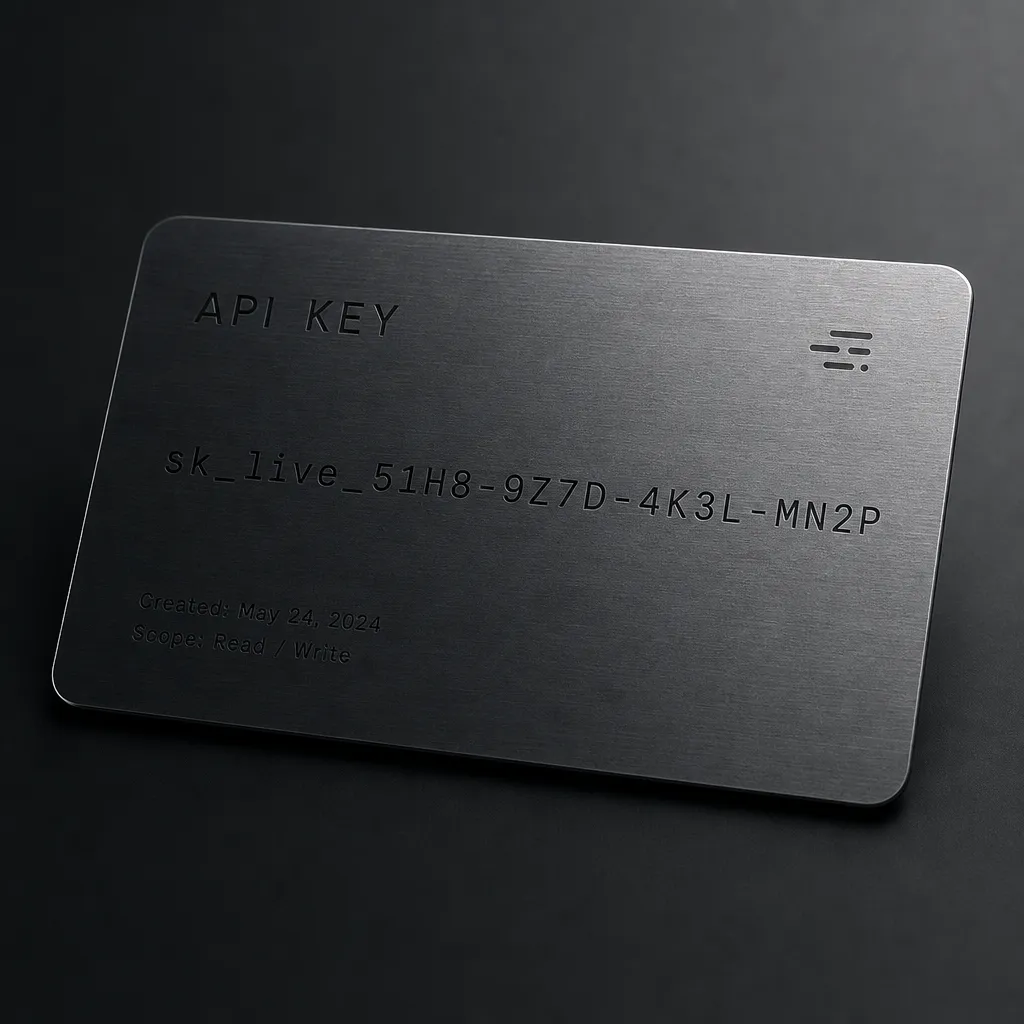
No leaving the editor, no separate image tool, no second key.
Prompt it well
The tools are only half of it. The other half is the prompt. If you are going to generate images from your agent, the same rules apply as anywhere else. Our GPT Image 2 prompting guide has five copy-paste techniques (including the text-rendering trick) that make a real difference.
Where to go next
- MCP docs: the full reference, tools, and options.
- Model catalog: everything the MCP can reach.
- GPT Image 2 prompting guide: get sharper images from your agent.
One connector, every model, right where you already work.
Frequently asked questions
- What is the ApexApi MCP?
- An MCP server that exposes ApexApi as tools your MCP client can call: chat with any model, generate images, video and audio, and read the web. One key covers all of it.
- Which clients work with it?
- Any MCP client. Claude Code and claude.ai connect over the remote endpoint with OAuth; Cursor, Claude Desktop, and others can use the remote endpoint with a bearer key or run it locally over stdio.
- Do I need an API key?
- Yes, an ApexApi ak- key. With the OAuth flow the access token is itself a dashboard-revocable key, so you can revoke access any time from apexapi.dev/keys.
- Is it billed differently from the API?
- No. The MCP calls the same endpoints and the same prepaid credit balance. You pay per use, per model.
Recommended
More posts
- How an AI agent funds and pays for its own API calls
Registration, balance and top-up as three HTTP calls instead of three web forms. The flow, the caps that keep it safe, and when a human is still required.
- Scrape, crawl and extract on the same key as your models
Three web context endpoints on the balance that already pays for inference. What each one costs, when to reach for which, and what you stop maintaining.
- Structured output across providers, and where it fails
JSON mode is three different guarantees wearing one name. What ports between providers, what gets silently ignored, and why you validate anyway.
One API key for every AI model
Start free