
One API key for GPT-5.5, Claude, and Gemini: a 5-minute guide
If you have shipped anything with LLMs, you know the tax. Every provider has its own SDK, its own key, its own base URL, and its own billing dashboard. The moment you want to compare two models, or move a workload from one to another, you are re-integrating.
ApexApi removes that tax. It is one OpenAI-compatible gateway in front of 120+ models from 20+ makers, across text, image, video, and audio. One key, one endpoint, and you switch models by changing a single string. This guide walks through the whole thing in about five minutes.
1. Point your OpenAI client at ApexApi
You do not need a new SDK. If your code already talks to OpenAI, change two things: the base URL and the API key.
from openai import OpenAI

client = OpenAI(
    base_url="https://api.apexapi.dev/v1",
    api_key="ak-...",  # your ApexApi key
)

resp = client.chat.completions.create(
    model="openai/gpt-5.5",
    messages=[{"role": "user", "content": "Explain vector embeddings in one sentence."}],
)
print(resp.choices[0].message.content)
The same request shape works from any client that speaks the OpenAI Chat Completions format. Here is the JavaScript SDK doing the identical call:
import OpenAI from "openai";

const client = new OpenAI({
  baseURL: "https://api.apexapi.dev/v1",
  apiKey: process.env.APEXAPI_KEY, // "ak-..."
});

const resp = await client.chat.completions.create({
  model: "openai/gpt-5.5",
  messages: [{ role: "user", content: "Explain vector embeddings in one sentence." }],
});
console.log(resp.choices[0].message.content);
That is the entire setup. No proxy to run, no adapter layer to maintain.
2. Switch models by changing one string
Want to run the exact same prompt through Claude instead? Change the model field. Nothing else.
resp = client.chat.completions.create(
    model="anthropic/claude-opus-4.7",   # was openai/gpt-5.5
    messages=[{"role": "user", "content": "Explain vector embeddings in one sentence."}],
)
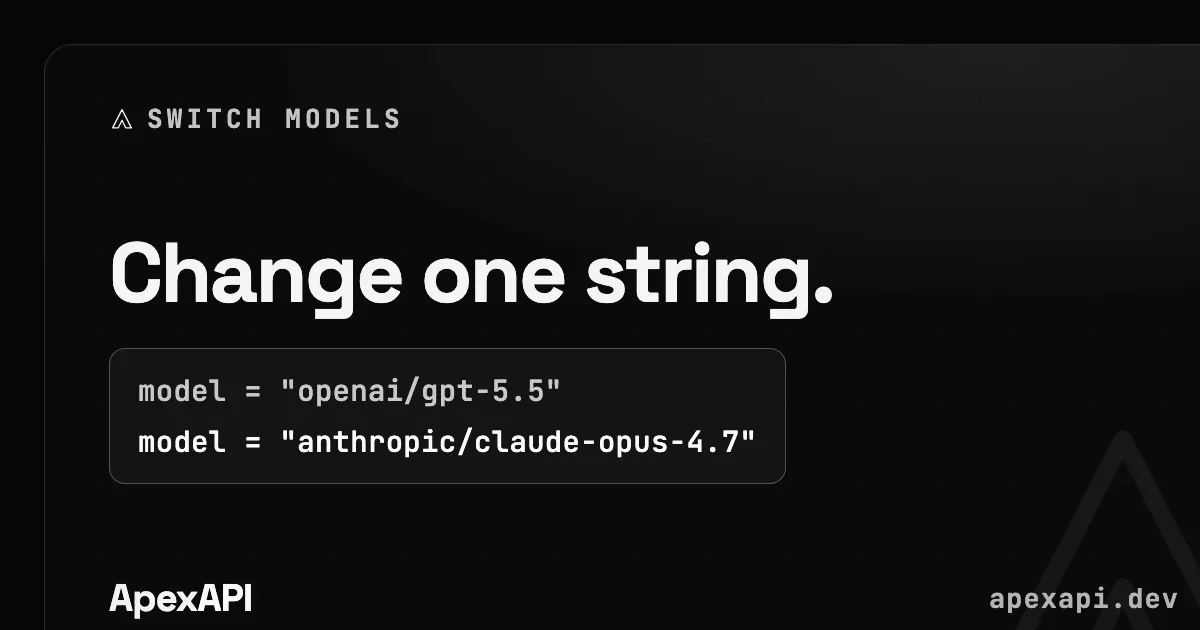
Model slugs are maker/model, so they read the way you expect: openai/gpt-5.5, anthropic/claude-opus-4.7, google/gemini-3.1-pro-preview, deepseek/deepseek-v4-pro. Browse the full model catalog, or jump to a category: LLM and chat models, image generation, video generation.
Because every model shares one key and one format, you can A/B them on your own prompts instead of trusting a marketing benchmark. Send the same input to two or three models, compare the outputs and the cost, and let the results decide. If you want a starting point, the rankings page shows our own measured success rate and latency for the models we serve.
3. Streaming works the same way
Real-time token streaming is a flag, exactly as it is with OpenAI. It works across chat models, so you do not change your streaming code when you change models.
stream = client.chat.completions.create(
    model="google/gemini-3.1-pro-preview",
    messages=[{"role": "user", "content": "Write a haiku about APIs."}],
    stream=True,
)
for chunk in stream:
    print(chunk.choices[0].delta.content or "", end="")
4. It is not only chat
The same key reaches image, video, and audio models, and it gives your agents live web context: read a page, crawl a site, or pull structured data. So an agent can read the web and call models without leaving one API.
Generating an image uses the same client and key:
img = client.images.generate(
    model="black-forest-labs/flux-2-pro",
    prompt="a minimalist product shot of a developer keyboard, soft studio light",
)
Video generation follows the same idea, submitted as a job you poll for the result. The point is that adding a modality to your product does not mean adding an account, a key, or a billing relationship.
5. Give an agent live web context
Agents are only as good as what they can read. ApexApi exposes web reading on the same key, so an agent can fetch a page as clean markdown before it reasons over it.
import requests

page = requests.post(
    "https://api.apexapi.dev/v1/scrape",
    headers={"Authorization": "Bearer ak-..."},
    json={"url": "https://example.com/pricing"},
).json()
# page["markdown"] is clean, LLM-ready text
You can also crawl a whole site or pull ready-made structured data. Crawl and structured-extract billing is per successful page or record. A single page read like this bills as soon as the fetch is dispatched, even if the page turns out to be blocked or empty; only a rejected URL is free.
6. Reliability and picking a model
Two models that look similar on a spec sheet can behave differently in production. Latency, throughput under load, and how often a call actually succeeds matter as much as the headline capability. Because every model runs through the same path on ApexApi, we measure this ourselves and publish it on the rankings page. Use it as a starting filter, then confirm with your own prompts.
7. Pay for what you use
There is no subscription and no minimum. You buy credits and pay per call, and every model page shows its live price. Failed image and video generations are not billed. That means you can keep a few models in rotation, route cheap high-volume work to a smaller model and hard tasks to a frontier one, and only pay for what each actually does.
Where to go next
- Quickstart: your first call, step by step.
- Model catalog: every model, with live pricing and specs.
- Rankings: measured speed and reliability.
- GPT-5.5 vs Claude Opus 4.7: a side-by-side to help you pick.
One integration, every model. That was the whole idea.
Frequently asked questions
- Is ApexApi really OpenAI-compatible?
- Yes. It implements the OpenAI Chat Completions, Images, and Embeddings request and response shapes, so most OpenAI SDKs work by changing the base URL and the key. You keep your existing client code.
- How do I switch from one model to another?
- Change the model field to another slug, for example from openai/gpt-5.5 to anthropic/claude-opus-4.7. Same endpoint, same key, same billing. There is no second integration.
- What does it cost?
- You pay per use from a prepaid credit balance, with no subscription or minimum. Every model page shows its live price, and failed image or video generations are not billed.
- Which models can I call?
- 120+ models from 20+ makers across text, image, video, and audio. Browse the full catalog at /models, or by task at /models/llm, /models/text-to-image, and /models/text-to-video.
Recommended
More posts
- How an AI agent funds and pays for its own API calls
Registration, balance and top-up as three HTTP calls instead of three web forms. The flow, the caps that keep it safe, and when a human is still required.
- Scrape, crawl and extract on the same key as your models
Three web context endpoints on the balance that already pays for inference. What each one costs, when to reach for which, and what you stop maintaining.
- Structured output across providers, and where it fails
JSON mode is three different guarantees wearing one name. What ports between providers, what gets silently ignored, and why you validate anyway.
One API key for every AI model
Start free