
Images and Videos are live: Veo, Kling, Seedance, Nano Banana and more — one key, real prices
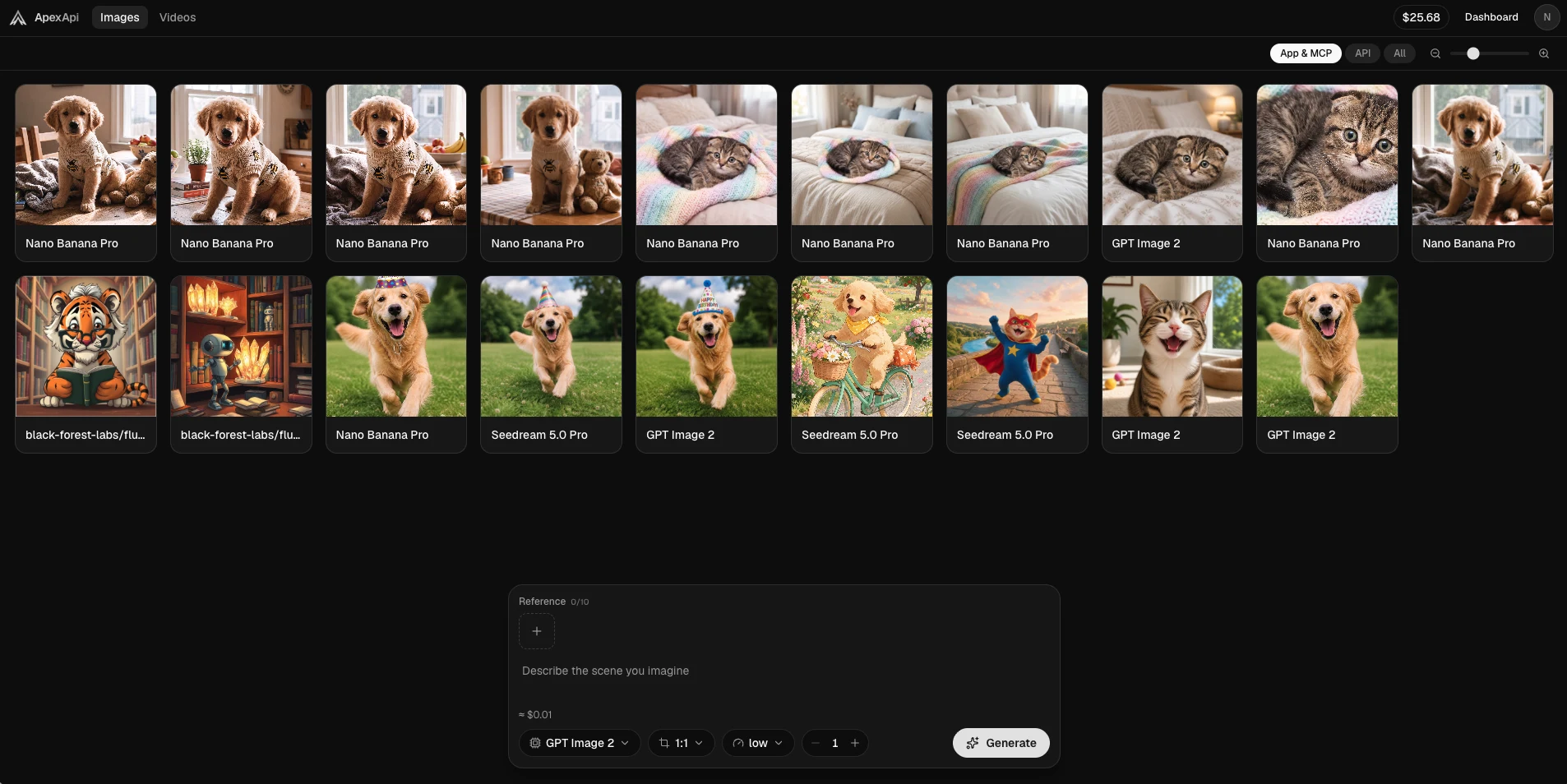
Until today, the Images and Videos tabs in the ApexApi dashboard were something only we could use. We spent the last weeks wiring real generation behind them, hardening the billing path, adding platform-side content guardrails and abuse limits, and verifying every flagship model live. As of today, image and video generation is open to every ApexApi account — in the dashboard and over the API.
One key. 29 image models and 26 video models (of 138 total in the catalog), from Google, ByteDance, OpenAI, Black Forest Labs, Kuaishou, xAI and more. Real US-dollar prices shown before you click Generate.
The Images studio
Open apexapi.dev/images and you get a full-screen studio: a gallery of everything you've made, and a floating composer at the bottom.
What the composer gives you:
- Model picker — Nano Banana Pro, GPT Image 2, Seedream 5.0 Pro, FLUX 2 Pro, Gemini 3 Pro Image, Imagen 4, Ideogram v3, Recraft v3, Grok Imagine and more. Switching models is one click; the controls adapt to what the model actually supports.
- Aspect ratio, resolution and batch count — pick 1:1 to 21:9, 1K to 4K where the model supports it, and up to several images per run.
- Reference images — drop in up to 10 references on supporting models for edits, style transfer and consistent characters. Adding a reference automatically switches to the model's edit variant.
- The price, before you spend it — that
≈ $0.01in the corner is not an estimate class of its own: it's computed by the same function that bills you. Change the resolution, the price updates. What you see is what you pay.
The gallery keeps everything, with filters for where a generation came from — the app, the API, or MCP.
The Videos studio
apexapi.dev/videos is the same idea for motion: Veo 3.1, Kling 3 Pro, Seedance 2.0 (standard, fast and mini tiers), Hailuo-02 and Grok Imagine Video behind one composer.
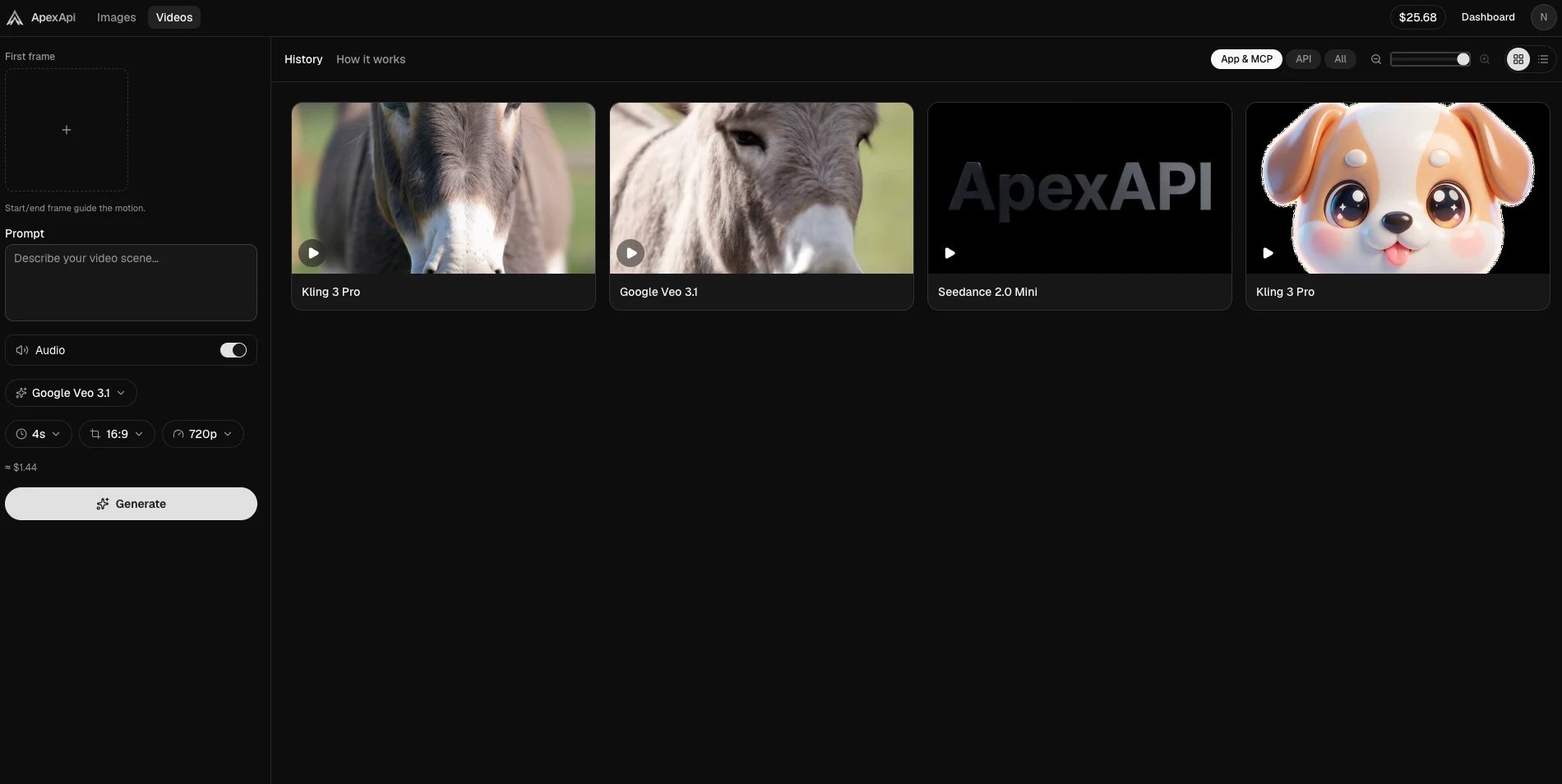
- Text to video, image to video, reference to video — type a scene, or guide it: set a first frame and/or last frame, or give Seedance 2.0 up to 9 reference images and address them right in the prompt (
@Image1). - Motion control — Kling 3 Pro can transfer the motion of a reference clip onto your character.
- Duration, aspect, resolution, audio — per-model controls that only offer what the model actually accepts, so you don't find out about limits from an error five minutes later.
- Async and honest — video jobs run in the background; you can close the tab and the result lands in your gallery. If a job fails, you are not charged — and the UI will never tell you otherwise.
The same power over the API
Everything above is also an endpoint. Same ak- key you already use for chat models, OpenAI-compatible shapes:
# Generate an image
curl https://api.apexapi.dev/v1/images/generations \
  -H "Authorization: Bearer ak-your-key" \
  -H "Content-Type: application/json" \
  -d '{
    "model": "google/nano-banana-pro",
    "prompt": "a golden retriever puppy in a knitted sweater, cozy morning light"
  }'
# Start a video job (returns 202 + job id)
curl https://api.apexapi.dev/v1/videos/generations \
  -H "Authorization: Bearer ak-your-key" \
  -H "Content-Type: application/json" \
  -d '{
    "model": "google/veo3.1",
    "prompt": "a donkey slowly turning its head toward the camera, golden hour",
    "duration": 4
  }'

# Poll it
curl https://api.apexapi.dev/v1/videos/generations/JOB_ID \
  -H "Authorization: Bearer ak-your-key"
Results are re-hosted on our CDN, so the URLs you get back are stable — no expiring provider links.
If you work in Claude Code, Claude Desktop or Cursor, the ApexApi MCP server exposes generate_image and generate_video as tools — your agent can make media with the same metered key. And the n8n community node does the same for workflows.
Pricing you can trust
We price media generation the way we price tokens: real dollars, no credit abstractions, no surprises.
- The composer preview and the final charge come from the same pricing function.
- Video bills for what is actually generated — durations are validated per model, and for motion control we measure your reference clip server-side instead of trusting a declared number.
- Failed or refused generations release their hold. You only pay for delivered media.
Safe by default
Media generation ships with platform-side content guardrails on every entry point — dashboard, API and MCP — on top of the providers' own moderation, plus per-account rate and concurrency limits. Boring, but it's what keeps the platform fast and available for everyone.
Try it
If you have an ApexApi account, apexapi.dev/images and apexapi.dev/videos are live for you right now. If not, sign up — you can see the whole catalog and exact per-model pricing at apexapi.dev/models before spending a cent.
One key. Every model. Now with pictures — and motion.
Frequently asked questions
- Which image and video models are available?
- The live catalog currently has 29 image models (Nano Banana Pro, GPT Image 2, Seedream 5.0, FLUX 2 Pro, Gemini 3 Pro Image, Imagen 4, Ideogram v3, Recraft v3, Grok Imagine and more) and 26 video models (Google Veo 3.1, Kling 3 Pro incl. motion control, Seedance 2.0 in standard, fast and mini tiers, Hailuo-02, Grok Imagine Video). The full list is at apexapi.dev/models and via GET /v1/models.
- How much does a generation cost?
- Real US dollars, shown before you generate. The composer previews the exact price of your current settings — an image can start around $0.01, a 4-second 720p Veo 3.1 clip is about $1.44 — and the preview uses the same pricing function as billing, so what you see is what you pay. Failed generations are never charged.
- Can I use my own images as references?
- Yes. Image models accept reference images (up to 10 on supporting models) for edits and consistent characters. Video models accept a first frame, a last frame, or reference images — Seedance 2.0 reference-to-video takes up to 9 image references you can address in the prompt.
- Is there an API for image and video generation?
- Everything in the studio is also available over the API with the same ak- key you use for chat models: POST /v1/images/generations for images and POST /v1/videos/generations for async video jobs, plus generate_image and generate_video tools on the ApexApi MCP server.
Recommended
More posts
- GPT Image 2.5 is live on ApexApi: Sunburst and Flare, five quality levels, one key
OpenAI's GPT Image 2.5 models are in the ApexApi catalog as openai/gpt-image-2.5-flare and openai/gpt-image-2.5-sunburst. Two new quality levels, sharper edits, and prices from $0.0071 per image all-in. Here's what changed, what each level costs, and which model to pick.
- Video generation APIs compared by real cost per second
Veo, Seedance, Kling, Hailuo and Grok Imagine priced per second of output. A five-second clip runs from thirty cents to three dollars. Where the gap goes.
- Image generation APIs compared by real cost per image
Flux, Imagen, GPT Image, Nano Banana, Seedream and Ideogram, priced in dollars per image rather than credits. What the spread actually buys you.
One API key for every AI model
Start free